Our web camera video player is a fully responsive HTML5 video player and is compatible with every modern browser and mobile device. You can always find your full-list of embed options for both your live video as well as Timelapse videos in the Dashboard.
Embed your Webcam Stream on Your Website
- Log in to your Dashboard
- Navigate to WEBCAMS
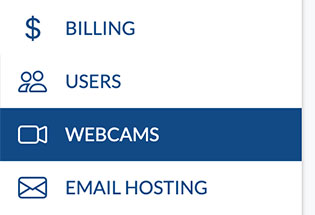
- Select your WEBCAM STREAMNAME: yourwecamstreamname
-> Click Manage (green button)
- Go to the Emed Code

- Copy and paste the provided embed code into your website, there are two options: 1.) You can use the javascript embed code or 2.) (Recommended for Wordpress sites) Use the iFrame embed code, as illustrated below. Pro Tip: The embed code panel has tabs at the top for Recordings and Timelapses, so you can also easily copy and paste embed code for your archived footage.
JavaScript Player:
Replace [STREAMNAME] with the camera name that we provided you when you signed up for service.
<script id="bri_cam_1" class="bri_embed" src="https://player.brownrice.com?sn=STREAMNAME&em=1"></script>
iFrame Player (use for Wordpress and CMSs that don't allow JavaScript):
<iframe src="https://player.brownrice.com/embed/STREAMNAME" style="width: 100%; aspect-ratio: 1.777;" border="0" frameborder="0" scrolling="no" allow="autoplay; fullscreen" allowfullscreen mozallowfullscreen></iframe>
Share your latest Timelapse video with this url:
https://player.brownrice.com/embed/STREAMNAME/timelapse/24hr
Here’s what an embedded Timelapse looks like:
[bri_embed url="https://player.brownrice.com/embed/vaileaglesnest/timelapse/24hr"]
Here’s what an embedded stream looks like—live from the Brownrice Tankcam:
[bri_embed url="https://player.brownrice.com/embed/hookerupper2"]
List of Camera Options, all controlled by logging into https://dashboard.brownrice.com
- Remove and/or replace video overlay logo with your own.
- Hide the white box PTZ controller area below the web cam video player.
- Set AutoStart/AutoPlay to on or off.
- Set Video Timeout duration (default is 10 minutes)
- Enable email alerts when our servers can't reach your camera.
- Set custom player aspect ratios. Default is 16:9.
- Restrick playback URL's to only web sites that you approve.
Done! If you have any issues let us know.